How Does Fingerprint Recognition Work?
Unlocking your phone, approving a payment, or clocking into work with just a touch of your finger feels effortless — but behind that split-second moment is a surprisingly intricate process of scanning, mapping, and matching that happens in a fraction of a second. Fingerprint recognition has become one of the most common forms of biometric security in everyday devices, yet most people have never really thought about how it actually identifies you so quickly and reliably.
Let’s break down how fingerprint recognition technology actually works, the different scanning methods used today, and why it’s considered such a secure and convenient form of authentication.
Why Fingerprints Work So Well for Identification
Fingerprints are made up of unique ridge patterns formed before birth, shaped by a combination of genetics and random developmental factors in the womb. Even identical twins, who share the same DNA, have different fingerprints. This uniqueness, combined with the fact that fingerprint patterns remain largely unchanged throughout a person’s life, makes fingerprints a naturally reliable biological identifier.
Beyond just uniqueness, fingerprints also offer practical advantages for everyday technology: they’re quick to scan, don’t require memorization like a password, and are difficult to accidentally replicate compared to something like a face, which can change with lighting, angles, or expressions.
The Two Main Stages of Fingerprint Recognition
Fingerprint recognition generally happens in two key phases: enrollment and matching.
Enrollment: Creating Your Fingerprint Template
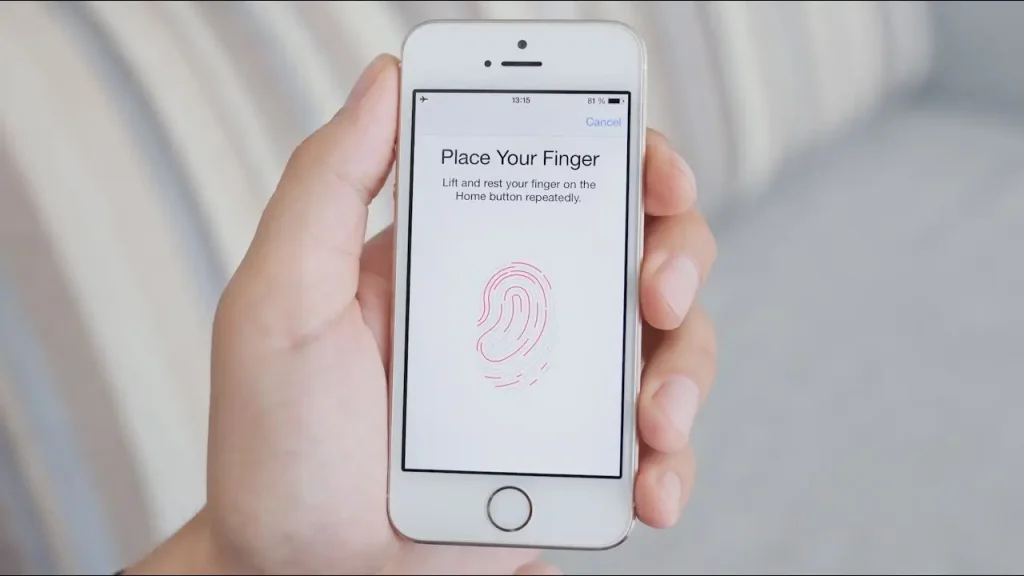
When you first set up fingerprint recognition on a device, you’re asked to scan your finger multiple times, often from slightly different angles. During this process:
- The scanner captures detailed images or data points of your fingerprint’s unique ridge patterns.
- The system identifies specific reference points, called “minutiae,” such as where ridges split, end, or form specific patterns.
- This information is converted into a mathematical representation, essentially a digital template, rather than storing an actual image of your fingerprint.
- This template is securely stored, typically within a dedicated, isolated section of your device’s hardware.
Matching: Verifying Your Identity Later
Every time you place your finger on the scanner afterward, the same scanning process occurs again, but instead of creating a new template, the system compares this new scan against your previously stored template. If enough matching points align within an acceptable margin, the system confirms your identity and grants access.
The Main Types of Fingerprint Scanning Technology
Optical Scanners
Optical fingerprint scanners work similarly to a digital camera, capturing a detailed visual image of your fingerprint using light. The system then analyzes the light and dark areas created by the ridges and valleys of your finger to identify distinguishing patterns. This is one of the older, more established scanning methods, though it can sometimes be less effective with dirty or slightly damp fingers.
Capacitive Scanners
Capacitive scanners, commonly found in many smartphones, use tiny electrical currents instead of light. Since ridges (raised skin) and valleys (recessed skin) sit at different distances from the sensor, they create tiny variations in an electrical charge, which the scanner reads to create a detailed map of your fingerprint’s structure. This method tends to be more accurate and harder to fool with a simple photograph or printed image compared to purely optical methods.
Ultrasonic Scanners
Ultrasonic scanners, increasingly common in modern smartphones with in-display fingerprint sensors, send high-frequency sound waves toward your finger and measure how they bounce back. Since ridges and valleys reflect sound waves differently, this creates a detailed, three-dimensional map of your fingerprint, including depth information that optical or capacitive scanners typically can’t fully capture. This added depth data makes ultrasonic scanning particularly difficult to spoof with flat images or basic fake fingerprint molds.
Comparing Fingerprint Scanning Methods
| Scanner Type | How It Works | Strengths |
|---|---|---|
| Optical | Captures a visual image using light | Simple, cost-effective |
| Capacitive | Measures electrical charge differences | More accurate, harder to fool with images |
| Ultrasonic | Uses sound waves for a 3D fingerprint map | Highest security, works well even with imperfect finger contact |
What Happens During the Actual Matching Process
When you place your finger on a scanner for verification, several things happen almost instantly:
- Image or data capture: The scanner captures your fingerprint’s current pattern using its specific technology (light, electrical current, or sound waves).
- Feature extraction: The system identifies key minutiae points, such as ridge endings and bifurcations (where a ridge splits into two).
- Template comparison: These extracted features are compared against your previously stored template, checking for a sufficiently close match rather than requiring an exact, pixel-perfect duplicate.
- Match scoring: The system calculates a similarity score. If this score exceeds a certain confidence threshold, access is granted; if not, it’s rejected, and you may be prompted to try again.
This process typically takes a fraction of a second, which is why fingerprint unlocking feels almost instantaneous on most modern devices.
Why Fingerprint Data Storage Matters for Security
Modern devices generally don’t store an actual image of your fingerprint at all. Instead, they store a mathematical template derived from your fingerprint’s unique features. This distinction matters for privacy and security reasons:
- Even if this stored data were somehow accessed, it can’t be easily reverse-engineered back into a usable image of your actual fingerprint.
- This template is typically stored within a dedicated, isolated hardware component (sometimes called a “secure enclave” or similar, depending on the manufacturer), separate from your device’s main operating system and other stored data.
- This isolation significantly reduces the risk of fingerprint data being accessed through general software vulnerabilities or malware.
If you’re curious about how this compares to other biometric methods like facial recognition, apkmunna has a dedicated breakdown covering how different biometric security systems store and protect your data.
Can Fingerprint Recognition Be Fooled?
While fingerprint recognition is generally considered highly secure, no biometric system is entirely infallible. Some considerations worth understanding:
- Basic photographs or 2D prints generally cannot fool capacitive or ultrasonic scanners, since these methods require actual electrical or depth-based data that a flat image can’t replicate.
- More sophisticated fake fingerprint molds have occasionally been demonstrated in controlled research and testing environments, though these typically require detailed knowledge of the specific target’s actual fingerprint and specialized materials, making this an unrealistic everyday threat for most people.
- False acceptance rates (the system incorrectly matching a different, unauthorized fingerprint) are generally extremely low on modern devices, though not mathematically at absolute zero.
- Physical injuries, cuts, or significant wear to your fingerprint can occasionally cause legitimate scans to fail temporarily, which is a usability limitation rather than a security flaw.
Common Uses of Fingerprint Recognition Today
- Smartphone and laptop unlocking, offering a fast alternative to PINs or passwords
- Mobile payment authorization, confirming your identity before completing a transaction
- Workplace time tracking and building access, replacing traditional ID cards or PIN codes
- Border control and identity verification systems, used in various government and travel-related applications
- App-level security, such as authorizing access to banking or password manager apps
For readers interested in a broader look at how biometric technology is being used across different everyday devices and services, apkmunna covers additional comparisons between fingerprint, facial, and other emerging biometric methods.
Frequently Asked Questions
Does my phone store an actual picture of my fingerprint?
No. Modern devices store a mathematical template derived from your fingerprint’s unique features, not an actual image, making it far harder to misuse even if the data were somehow accessed.
Why does fingerprint recognition sometimes fail to recognize my finger?
This can happen due to dirt, moisture, minor cuts, or changes in skin condition affecting how clearly the scanner can read your fingerprint’s ridges at that moment.
Is ultrasonic fingerprint scanning more secure than capacitive scanning?
Generally, yes, since it captures three-dimensional depth data rather than a flat image or electrical pattern alone, making it notably harder to spoof with basic fake fingerprint attempts.
Can someone unlock my phone using a photo of my fingerprint?
Highly unlikely with modern capacitive or ultrasonic scanners, since these methods require actual physical, electrical, or depth-based data that a simple photograph can’t replicate.
Does fingerprint data ever leave my device?
On most modern smartphones, fingerprint templates are stored locally within a secure, isolated hardware component and are not transmitted externally or shared with apps directly, which typically only receive a simple “authenticated” or “not authenticated” confirmation instead.
Conclusion
Fingerprint recognition works by capturing your finger’s unique ridge patterns, converting them into a secure mathematical template, and comparing future scans against that stored template to confirm your identity within a fraction of a second. Whether through optical, capacitive, or ultrasonic scanning methods, the underlying goal remains the same: quickly and reliably verifying that it’s genuinely you, without requiring passwords or physical keys.
Understanding this process also helps explain why fingerprint recognition is considered a strong, convenient security method for everyday use, while highlighting the specific, isolated way your biometric data is actually stored and protected. For more clear, practical breakdowns of the technology shaping daily life, apkmunna remains a solid resource to keep exploring.