How to Improve Your Aim in FPS Games: 9 Proven Tips
Table of Contents
- What Aim Actually Is
- Find the Right Sensitivity
- Master Crosshair Placement
- Build a Warm-Up Routine
- Practice Tracking and Flicking
- Learn Recoil Control
- Fix Your Setup and Posture
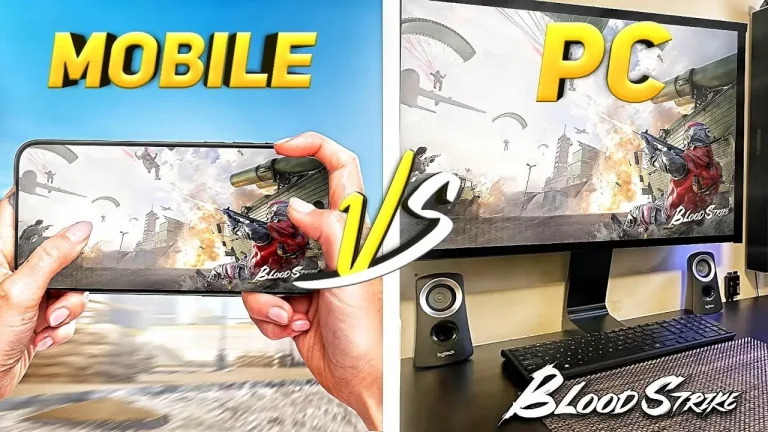
- Tips for Mobile FPS Players
- Review Your Gameplay
- Common Mistakes to Avoid
- FAQs
- Conclusion
Everyone wants sharper aim. Yet most players just play more matches and hope for the best. That rarely works on its own.
If you want to improve your aim in FPS games, you need deliberate practice, a comfortable setup, and good habits. The good news is that aim is a skill, so it can be trained. Let’s walk through what actually helps.
What Aim Actually Is
Aim isn’t just fast reflexes. It combines several skills:
- Mouse or thumb control, meaning how precisely you move
- Crosshair placement, meaning where you point before an enemy appears
- Tracking, meaning following a moving target smoothly
- Flicking, meaning snapping quickly to a target
- Recoil control, meaning managing weapon kick
- Decision-making, meaning knowing when to shoot
Because aim has many parts, you improve fastest by working on one part at a time.
Find the Right Sensitivity
Sensitivity is one of the biggest factors in accuracy. Too high, and you overshoot targets. Too low, and you can’t turn fast enough.
A useful starting point is to pick a sensitivity that lets you make a full turn with a comfortable arm or wrist movement. Then adjust in small steps.
Many players also track their “eDPI” (mouse DPI multiplied by in-game sensitivity) to compare settings. However, there’s no single perfect number. What matters is that you pick a comfortable setting and then stick with it long enough to build muscle memory. Constantly changing settings slows progress.
Master Crosshair Placement
This is the most underrated skill. Good crosshair placement means keeping your crosshair at head height and aimed where enemies are likely to appear.
Try these habits:
- Keep your crosshair at head level while moving.
- Aim at corners and doorways before you reach them.
- Clear angles one at a time instead of swinging wildly.
- Move your view with your body, not separately from it.
As a result, you often need only a tiny adjustment to land a shot, rather than a big, risky flick.
Build a Warm-Up Routine
Professionals don’t jump straight into ranked matches, and you shouldn’t either. A short warm-up prepares your hands and eyes.
A simple 10 to 15 minute routine might include:
- A few minutes of slow tracking against moving targets
- Some flick practice on static targets
- A short session on a practice range or bot match
- A couple of relaxed casual matches before ranked
You can use aim trainers such as Aim Lab or KovaaK’s for structured drills. Check their current pricing and features on their official sites, since offerings can change.
Practice Tracking and Flicking
Different games reward different aim styles. Some need smooth tracking, while others reward fast flicks.
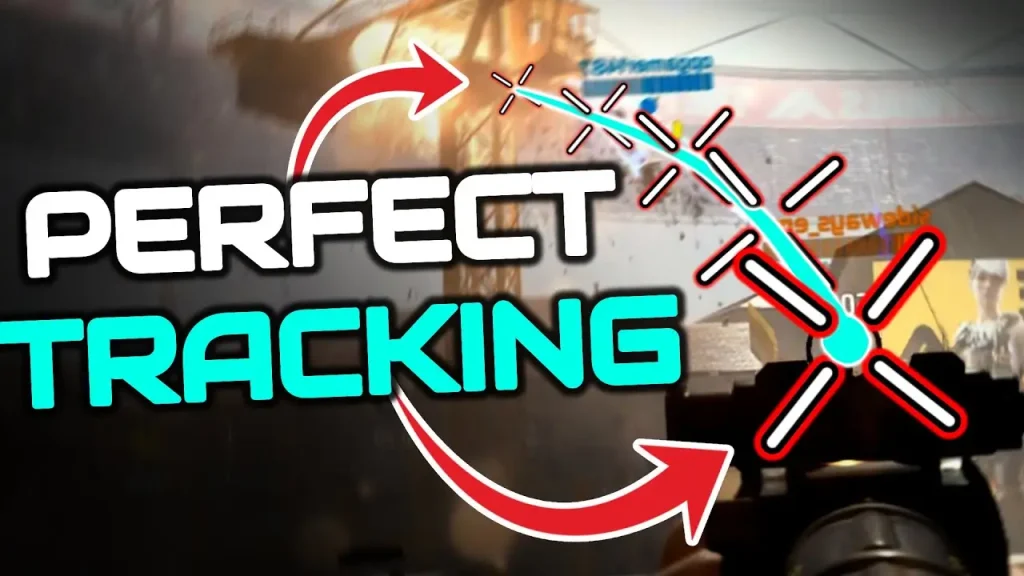
Tracking Practice
Follow a moving target and keep your crosshair on it. Focus on smooth, steady movement rather than speed.
Flicking Practice
Snap to a target and stop precisely on it. Start slowly, then increase speed once you’re accurate.
Both matter, so split your practice time based on the game you play. Otherwise, you may improve one skill while neglecting the other.
Learn Recoil Control
Recoil control means managing how your weapon climbs or drifts as you fire. Every game handles this differently.
To improve:
- Learn each weapon’s spray pattern in a practice range.
- Fire in short bursts instead of holding the trigger.
- Pull down smoothly to counter vertical kick.
- Choose weapons you can control, not just the strongest ones.
Consistent practice with a small set of weapons works better than switching constantly.
Fix Your Setup and Posture
Your hardware and comfort affect your accuracy more than you might expect.
- Use a stable mouse pad with consistent surface friction.
- Choose a mouse that fits your hand and grip style.
- Set your monitor at eye level to avoid neck strain.
- Keep your elbow supported so your arm stays relaxed.
- Use a good refresh rate if your monitor and PC support it.
Also, sit comfortably. Tension in your shoulders or wrist reduces control. If your game stutters or lags, apkmunna has guides on fixing slow performance and network problems that can hurt your aim indirectly.
Tips for Mobile FPS Players
Many players use phones, and aim works a bit differently on touch screens.
- Customize your HUD layout so buttons sit where your thumbs naturally rest.
- Try a claw grip (using more fingers) if your game supports comfortable multi-finger controls.
- Adjust sensitivity in small steps, and test in a practice mode.
- Enable gyroscope aiming if the game offers it and you want fine control.
- Clean your screen so your thumbs glide smoothly.
- Prevent overheating with breaks, since heat can lower frame rates.
If you’re choosing a phone for gaming, apkmunna also explains what makes a smartphone processor fast, which helps you understand real performance beyond spec sheets.
Review Your Gameplay
Improvement speeds up when you learn from mistakes. Record a few matches, then watch them with one question in mind: why did I lose this fight?
Look for patterns such as:
- Crosshair too low or too high
- Shooting while moving when you should stop
- Overcorrecting after the first bullet
- Poor positioning rather than poor aim
Often, what feels like “bad aim” is actually poor positioning or timing.
Common Mistakes to Avoid
- Changing sensitivity too often, which resets muscle memory
- Practicing only in matches, with no focused drills
- Playing when tired, which hurts reaction time and focus
- Ignoring warm-ups, then blaming aim on “a bad day”
- Copying a pro’s settings blindly, since their setup may not suit you
- Practicing too long without rest, which can cause fatigue and strain
If you feel wrist pain or numbness, stop and rest. Persistent discomfort deserves attention from a medical professional.
Frequently Asked Questions
How long does it take to improve aim in FPS games?
It varies by person and practice quality. Most players notice gradual gains with regular, focused practice over several weeks, but there’s no fixed timeline.
Is low or high sensitivity better?
Neither is universally better. Choose a setting you can control comfortably, then stay consistent.
Do aim trainers really help?
They can help, especially for building fundamentals like tracking and flicking. However, they work best alongside real match practice and game-specific training.
Does a better mouse improve aim?
A comfortable, reliable mouse helps, but skill and practice matter far more than expensive gear.
How can I improve aim on mobile?
Customize your controls, adjust sensitivity gradually, use a comfortable grip, and practice in training modes.
Should I warm up before ranked matches?
Yes. A short warm-up helps you start matches with better control and confidence.
Conclusion
To improve your aim in FPS games, focus on the fundamentals: a sensible sensitivity, strong crosshair placement, a regular warm-up, and deliberate practice. Add recoil control, a comfortable setup, and gameplay review, and your progress will speed up noticeably.
Above all, stay patient and consistent. Small daily improvements add up faster than occasional marathon sessions. For more practical gaming and tech guides like this one, apkmunna is a helpful place to keep learning.