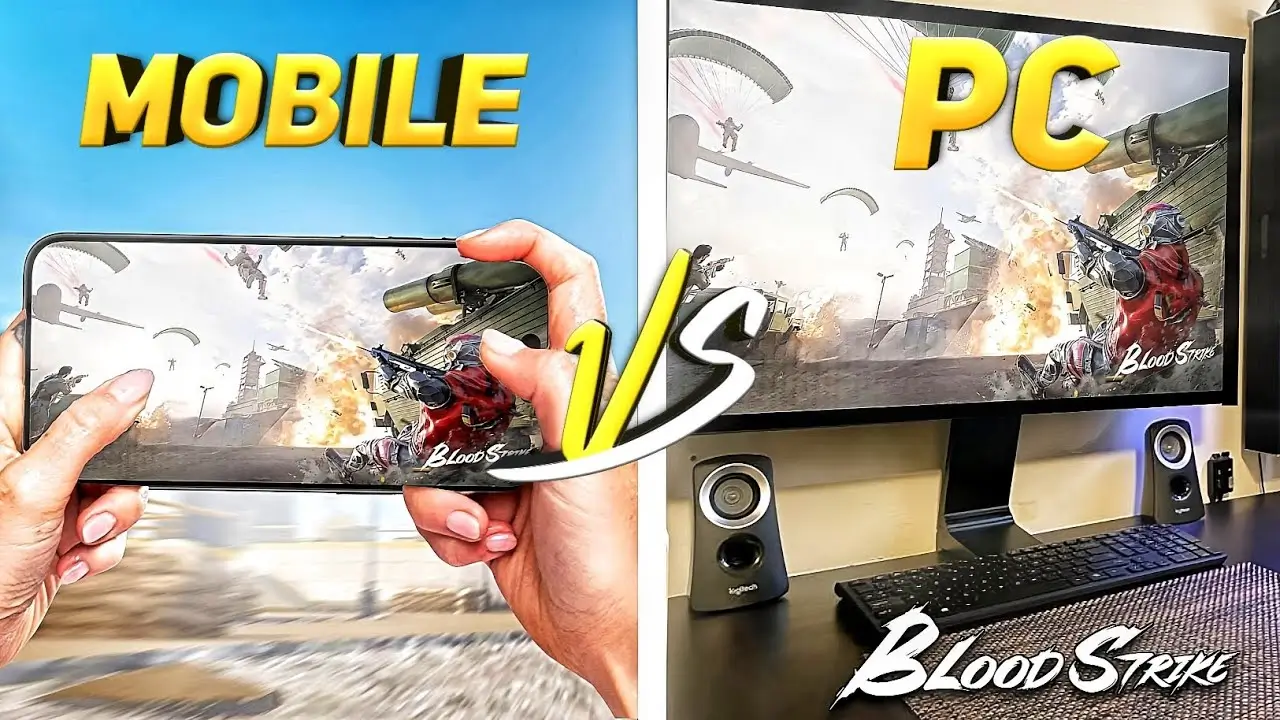
Blood Strike PC vs Mobile: Which Is Best? 6 Key Differences
Table of Contents
- What Is Blood Strike?
- Blood Strike PC vs Mobile: Quick Comparison
- Controls and Aiming
- Graphics and Performance
- Device Requirements and Accessibility
- Portability and Convenience
- Competitive Play and Fairness
- Which Version Is Best for You?
- Tips to Get the Most From Either Version
- FAQs
- Conclusion
Blood Strike started as a mobile game, but it’s no longer mobile-only. So if you’re deciding where to play, the Blood Strike PC vs mobile question is a fair one.
The honest answer is that neither version wins for everyone. The best choice depends on your device, your playstyle, and how seriously you play. Let’s break it down.
What Is Blood Strike?
Blood Strike is a free-to-play first-person shooter from NetEase. It follows the hero-shooter battle royale format, where you play unique characters called Strikers and fight to be the last one standing. pocketgamer
It began on mobile, and the game later received an official Steam release for PC. The PC version includes Battle Royale, Squad Fight, and Hot Zone modes. gamesparknoypigeeks
Blood Strike PC vs Mobile: Quick Comparison
| Factor | PC | Mobile |
|---|---|---|
| Controls | Mouse and keyboard | Touch or controller |
| Aiming precision | Very high | Moderate |
| Graphics potential | Higher, depends on your PC | Depends on your phone |
| Device requirement | Gaming-capable PC | Most modern phones |
| Portability | Low | High |
| Comfort in long sessions | High | Lower (screen and battery) |

Controls and Aiming
This is the biggest difference. On PC, a mouse gives you fast, precise aiming. Keyboard movement also makes strafing and quick reactions easier.
On mobile, you rely on touch controls. They work, but they’re less precise, especially during close-range fights. However, a Bluetooth controller can help, and many players get used to touch controls after some practice.
If competitive aiming matters to you, PC has a clear advantage here.
Graphics and Performance
PC generally offers more room for smooth frame rates and sharper visuals, provided your hardware is decent. Larger monitors also make it easier to spot enemies at a distance.
Mobile performance depends on your phone. Blood Strike was built with lower-end devices in mind: it’s described as optimized for low-end devices and limited storage. As a result, even budget phones can often run it acceptably. mumuglobal
That said, heat is a real issue on phones. Long sessions can cause throttling, which may lower frame rates. If you’re curious about why phones slow down under load, apkmunna has a guide on what makes a smartphone processor fast that explains it clearly.
Device Requirements and Accessibility
Mobile is easier to start with. If you own a recent phone, you can download the game and play within minutes. No extra hardware is needed.
PC requires a computer that can run the game properly. If your PC is old or has weak graphics, performance may not beat a good phone. Therefore, “PC is better” only holds if your PC is actually capable. Check the Steam listing for the current system requirements before installing.
Portability and Convenience
Mobile wins easily on convenience. You can play on a commute, during a break, or in bed. Matches are short, which suits quick sessions.
PC keeps you at a desk. However, that comes with comfort benefits: a bigger screen, better ergonomics, and no battery worries.
Competitive Play and Fairness
Many players ask whether PC or mobile is fairer for ranked or competitive matches. Input methods differ, so mouse and keyboard users often have an aiming edge over touch users. Whether the two are matched together, and how, is decided by the developer and may change over time.
Also worth knowing: some players run the mobile version on PC through Android emulators. Emulators like MuMuPlayer advertise PC-style play for Blood Strike. Since this isn’t the official PC client, always check the game’s current rules and terms first, because policies on emulators can change. mumuglobal
Which Version Is Best for You?
Choose PC if:
- You have a capable gaming PC
- You prefer mouse-and-keyboard aiming
- You play for long, focused sessions
- You want a bigger screen and steadier performance
Choose mobile if:
- You want to play anywhere
- You don’t own a gaming PC
- You prefer short, casual matches
- You have a decent phone and a controller
Choose both if: you want flexibility. Check whether your account and progress carry across platforms in the game’s settings or official support pages before assuming they do.
Tips to Get the Most From Either Version
On PC
- Lower your mouse sensitivity gradually to build aim control.
- Use a wired or stable Wi-Fi connection to reduce lag.
- Keep graphics drivers updated.
On Mobile
- Use a phone cooling fan or take short breaks to avoid overheating.
- Customize your HUD layout for thumb comfort.
- Connect over 5GHz Wi-Fi when possible. If lag persists, apkmunna has network troubleshooting guides that can help you find the cause.
- Consider a Bluetooth controller if your phone and the game settings support it.
Frequently Asked Questions
Is Blood Strike free on PC and mobile?
Yes, the game is free to play, though it offers in-game purchases.
Is Blood Strike better on PC or mobile?
PC offers better aiming precision and comfort. Mobile offers better portability and easier access. The best version depends on your setup and priorities.
Can I play Blood Strike on a low-end phone?
Often yes, since the game is designed to run on lower-end devices, though performance varies by model.
Does Blood Strike have an official PC version?
Yes. There is an official Steam release for Windows.
Can I play with friends across PC and mobile?
This depends on the game’s current features. Check the in-game friend system or official announcements to confirm cross-platform support.
Is using an emulator safe?
It can carry risks, including performance issues and possible policy problems. Review the game’s official terms before using one.
Conclusion
In the Blood Strike PC vs mobile debate, PC is stronger for precision, comfort, and consistent performance. Mobile is stronger for convenience, accessibility, and quick sessions. If you have a good PC and play seriously, PC is likely your best pick. Otherwise, mobile is more than capable for casual and mid-level play.
Whichever you choose, focus on stable internet, comfortable controls, and regular practice. For more honest gaming and tech comparisons like this one, apkmunna is a helpful place to keep exploring.