Does a VPN Really Make You Anonymous?
VPN advertisements make bold promises: “Browse anonymously,” “Hide your identity online,” “Become invisible to hackers and trackers.” With phrases like these everywhere, it’s easy to assume that installing a VPN instantly makes you untraceable on the internet. But how much of that is actually true, and how much is marketing language stretched a bit too far?
The honest answer is that a VPN significantly improves your privacy in specific, meaningful ways, but it does not make you fully anonymous. True anonymity online is far harder to achieve than a single app or service can provide. Let’s break down exactly what a VPN does, where its protection ends, and what “anonymous” would actually require.
What a VPN Actually Does
A VPN (Virtual Private Network) creates an encrypted tunnel between your device and a VPN server, then routes your internet traffic through that server before it reaches its final destination. This provides two main privacy benefits:
Hides Your Real IP Address From Websites
Instead of websites seeing your actual IP address, they see the IP address of the VPN server you’re connected to. This makes it harder for websites to pinpoint your real location or directly link your activity back to your specific internet connection.
Encrypts Your Traffic From Your ISP and Local Network
Your internet service provider (ISP) and anyone monitoring your local network (like on public Wi-Fi) can normally see which websites you’re visiting. A VPN encrypts this traffic, so instead of seeing your specific browsing activity, they mainly see that you’re connected to a VPN server, without visibility into what you’re doing through that connection.
These two protections are genuinely valuable and represent real privacy and security improvements — but they’re not the same thing as full anonymity.
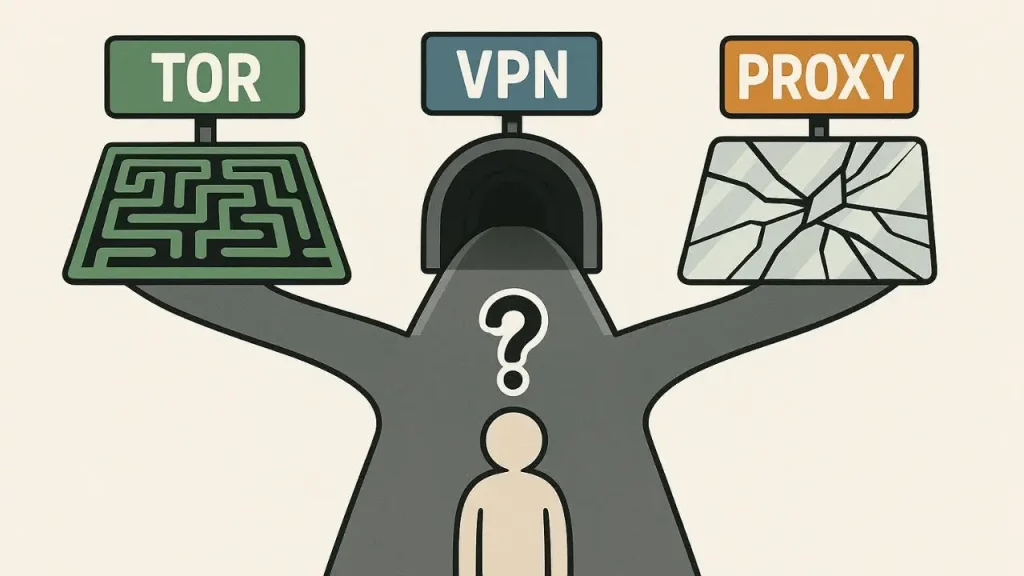
Why a VPN Doesn’t Make You Fully Anonymous
The VPN Provider Can Still See Your Activity
When you use a VPN, your ISP loses visibility into your browsing, but that visibility doesn’t disappear — it shifts to the VPN provider instead. Your VPN company can technically see your traffic passing through their servers, which is why the provider’s own privacy policy and logging practices matter enormously.
Logging Policies Vary Widely
Some VPN providers advertise a strict “no-logs” policy, meaning they claim not to record your browsing activity. Others may log connection timestamps, bandwidth usage, or other metadata, even if they don’t record specific browsing history. Since you can’t personally verify these claims without independent audits, trusting a VPN provider requires a certain amount of faith in their stated policies. If you’re comparing providers based on these claims, apkmunna has a breakdown of what to actually look for in a VPN’s privacy policy beyond marketing language.
Websites Can Still Track You Without Your IP Address
Hiding your IP address doesn’t stop all forms of tracking. Websites and advertisers use techniques like browser fingerprinting (identifying your device based on its specific configuration, fonts, screen resolution, and other details), cookies, and account logins to continue tracking you, regardless of your IP address being masked.
Logging Into Accounts Defeats the Purpose
If you log into Google, Facebook, Amazon, or any other account while using a VPN, that service already knows exactly who you are through your account credentials. A VPN can’t create anonymity around an identity you’ve voluntarily provided yourself.
Your Device Itself Can Be Identified
Beyond IP addresses, your device has its own digital fingerprint based on things like browser type, installed extensions, screen size, and operating system. This fingerprint can sometimes be unique enough to track a specific device across sessions, even with a VPN masking the IP address.
Payment and Sign-Up Information
If you paid for your VPN subscription using a credit card or personal account tied to your identity, that VPN provider likely has identifying information about you, even if your actual browsing traffic itself isn’t linked to your name in their logs.
VPN vs. True Anonymity: What’s the Difference?
| Factor | What a VPN Provides | What True Anonymity Would Require |
|---|---|---|
| Hiding your IP from websites | Yes | Yes |
| Hiding traffic from your ISP | Yes | Yes |
| Hiding activity from the VPN provider itself | No (provider can often see it) | Requires a verified no-logs, trustworthy system |
| Preventing browser fingerprinting | No | Requires additional privacy tools/browsers |
| Preventing tracking while logged into accounts | No | Not possible while logged in |
| Payment/identity untraceability | Depends (varies by payment method) | Requires anonymous payment and no personal sign-up info |
What a VPN Is Actually Good For
Despite not providing complete anonymity, a VPN offers genuinely useful, practical protection in several common scenarios:
Protecting Data on Public Wi-Fi
Using a VPN on public networks, like at a coffee shop or airport, encrypts your traffic, making it significantly harder for others on the same network to intercept or monitor what you’re doing.
Hiding Browsing Activity From Your ISP
Since your ISP can normally see every website you visit, a VPN prevents this specific kind of monitoring, which matters to many users regardless of whether they’re doing anything sensitive.
Accessing Region-Restricted Content
VPNs allow you to appear as though you’re browsing from a different location, which can be useful for accessing content or services restricted to specific countries or regions.
Adding a Layer of Protection While Traveling
When using unfamiliar or foreign networks, a VPN adds a meaningful layer of encryption and privacy that wouldn’t otherwise be there.
General Privacy From Casual Tracking
Even without full anonymity, masking your IP address and encrypting your traffic makes casual, everyday tracking noticeably more difficult compared to browsing without any protection at all.
Common VPN Marketing Claims vs. Reality
| Marketing Claim | Realistic Expectation |
|---|---|
| “Complete anonymity online” | Reduces certain tracking, but doesn’t eliminate all forms of identification |
| “Invisible to hackers” | Adds encryption, but doesn’t make you immune to all security threats |
| “No one can see what you do online” | Your ISP can’t see specifics, but the VPN provider technically can |
| “Untraceable browsing” | Harder to trace, not impossible, especially if logged into accounts |
Understanding this gap between marketing language and technical reality helps set realistic expectations before relying on a VPN for something it isn’t fully designed to do. For a broader look at how different privacy tools compare against real marketing claims, apkmunna covers similar breakdowns across VPNs, private browsing modes, and other commonly misunderstood privacy features.

How to Maximize Privacy When Using a VPN
If your goal is stronger privacy, even if not complete anonymity, a few practices help:
- Choose a VPN with a genuinely audited no-logs policy, rather than relying solely on marketing claims.
- Avoid logging into personal accounts during sessions where you specifically want to remain untracked.
- Combine a VPN with privacy-focused browsers that reduce fingerprinting and block third-party trackers.
- Use a privacy-conscious payment method, if anonymity from the VPN provider itself matters to you specifically.
- Keep your VPN software updated, since outdated apps can occasionally have security vulnerabilities that undermine the protection you’re relying on.
Is a VPN Still Worth Using?
Yes, for most people, a VPN remains a genuinely worthwhile privacy and security tool, even without providing full anonymity. It meaningfully protects against ISP tracking, public Wi-Fi risks, and casual surveillance, which covers the majority of everyday privacy concerns for typical users.
The key is having realistic expectations: a VPN is a strong layer of protection, not an invisibility cloak. For readers wanting a clearer picture of which specific privacy tools solve which specific problems, apkmunna has additional comparisons that go beyond simplified marketing claims often seen in VPN advertising.
Frequently Asked Questions
Can I be tracked even while using a VPN?
Yes. Websites can still use browser fingerprinting, and if you’re logged into personal accounts, your identity remains linked to your activity regardless of your IP address being masked.
Does a VPN protect me from viruses and malware?
No. A VPN encrypts and reroutes your traffic, but it isn’t designed to detect or block malware, which requires separate antivirus or security software.
Can my VPN provider see what websites I visit?
Technically, yes, unless they have a genuinely audited no-logs policy. Your ISP loses visibility, but that visibility shifts to the VPN provider instead.
Is a free VPN as safe as a paid one for privacy?
Not always. Some free VPNs monetize user data or have weaker privacy practices, since running VPN infrastructure has real costs that need to be covered somehow.
Do I need a VPN if I only browse in Incognito Mode?
Yes, if your goal includes hiding activity from your ISP or masking your IP address, since Incognito Mode only prevents local data from being saved on your own device and doesn’t provide these broader protections.
Conclusion
A VPN is a genuinely valuable privacy and security tool, but it doesn’t make you fully anonymous online. It hides your IP address from websites and encrypts your traffic from your ISP and local network, which covers real, common privacy concerns for most everyday users. However, true anonymity would require far more, including addressing browser fingerprinting, account logins, VPN provider trust, and payment traceability.
Understanding this distinction helps you use a VPN for what it’s actually good at, rather than expecting complete invisibility online. For more honest, practical breakdowns of privacy tools and what they truly protect, apkmunna remains a solid resource to keep exploring.