Can Red Dead Redemption Run Smoothly on Mobile? What to Expect
Table of Contents
- Which Red Dead Redemption Are We Talking About?
- How Red Dead Redemption Came to Mobile
- What’s Included in the Mobile Version
- Device Requirements
- What Affects How Smoothly It Runs
- Netflix Requirement: Why It Matters for Performance
- Tips for the Smoothest Experience
- Common Performance Issues and Fixes
- Is It Worth Playing on Mobile?
- FAQs
- Conclusion
If you’ve heard that a classic Rockstar Western finally made it to phones, you’re probably wondering: can Red Dead Redemption run smoothly on mobile, or is this another case of a demanding console game struggling on a small screen?
The good news is that this isn’t an unofficial port or an emulator workaround. It’s a genuine, Rockstar-backed mobile release, built specifically with touchscreens in mind. Here’s what actually affects how smooth it runs.
Which Red Dead Redemption Are We Talking About?
It’s worth clearing this up first: the mobile version available today is the original Red Dead Redemption (2010), not Red Dead Redemption 2. As of this writing, RDR2 does not have an official mobile release. So if you were hoping to play the newer, larger game on your phone, that option doesn’t currently exist.
How Red Dead Redemption Came to Mobile
Rockstar Games and Netflix brought Red Dead Redemption to iOS and Android in early December 2025, alongside new versions for PS5, Xbox Series X|S, and Nintendo Switch 2. This marked the game’s first official mobile release, more than a decade after its original 2010 launch.
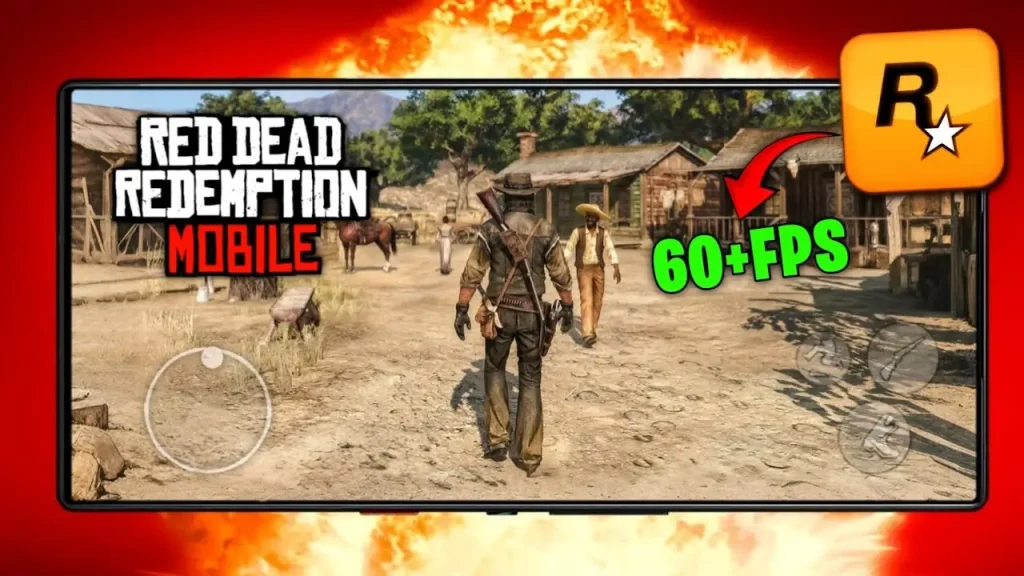
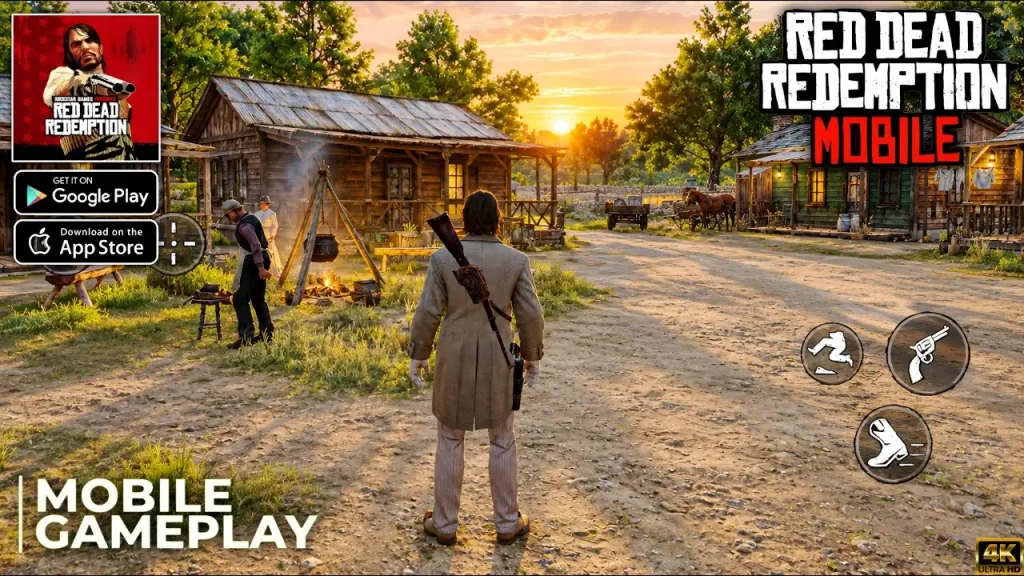
The mobile version was specifically optimized for touchscreens, rather than being a straight port of the console controls onto a smaller screen.
What’s Included in the Mobile Version
The mobile release includes the complete original campaign, following John Marston as he hunts down his former outlaw associates. It also includes the full Undead Nightmare expansion, the zombie-themed side story that’s long been a fan favorite.
However, a few things are worth knowing upfront:
- No multiplayer mode is included in the mobile version.
- An internet connection is required to play, since offline gameplay isn’t available.
- Mobile-specific touch controls handle navigation, shooting, and other core interactions.
Device Requirements
For iOS specifically, confirmed requirements include:
- Storage: Around 3.1GB of free space
- OS version: iOS 18.0 or later (iPadOS 18.0 or later for tablets)
Android requirements weren’t specified with the same detail in available listings, so it’s best to check the current Google Play Store listing for your specific device before assuming compatibility, since Play Store listings typically confirm compatibility automatically based on your phone.
What Affects How Smoothly It Runs
Since this is a genuine mobile-optimized release rather than a raw port, smoothness generally depends on a mix of factors:
Your Device’s Age and Specs
Phones released more recently, with more capable processors and GPUs, are more likely to run the game consistently smoothly. Since Rockstar and Netflix built this specifically for mobile hardware, it wasn’t designed to demand flagship-level specs, but very old or budget devices may still show more strain.
Your Internet Connection
Since the game requires an active internet connection to play, and it operates within the Netflix Games ecosystem, connection stability matters more than it would for a fully offline mobile game. A weak or unstable Wi-Fi or mobile data connection could affect loading or cause interruptions.
Background Apps and Available RAM
As with most demanding mobile games, having many background apps open can compete for memory and processing power, potentially affecting smoothness during gameplay.
Netflix App Performance
Since the game is accessed and launched through the Netflix app rather than as a fully standalone app in some regions, the Netflix app’s own performance and update status can play a role in how smoothly the game launches and runs.
Netflix Requirement: Why It Matters for Performance
Access to Red Dead Redemption on mobile requires an active Netflix subscription. There’s no cost beyond your existing Netflix plan, but you do need the Netflix app installed and updated, since that’s the gateway through which the game is downloaded and launched on most reported listings.
This distribution model differs from a typical Play Store or App Store purchase, so if you’re having trouble finding or launching the game, checking that your Netflix app itself is current is a reasonable first troubleshooting step.
Tips for the Smoothest Experience
- Keep your Netflix app updated to the latest version before launching the game.
- Use a stable Wi-Fi connection rather than relying on mobile data, especially during longer sessions.
- Close unnecessary background apps to free up RAM before playing.
- Check your available storage, ensuring you have enough free space beyond the game’s own footprint.
- Update your phone’s operating system if you’re behind on updates, since compatibility is tied to specific OS versions like iOS 18.0+.
- Restart your device occasionally if you notice the game feels sluggish after extended play sessions.
- Customize the touch control layout, if the game offers this option, to reduce accidental inputs that can make gameplay feel less smooth even when performance itself is fine.
Common Performance Issues and Fixes
| Issue | Likely Cause | What to Try |
|---|---|---|
| Game won’t launch | Outdated Netflix app | Update Netflix app, then retry |
| Frequent disconnects | Unstable internet | Switch to stable Wi-Fi |
| Stuttering during gameplay | Background apps using RAM | Close unused apps before playing |
| Slow loading | Limited storage space | Free up device storage |
| Controls feel imprecise | Default touch layout not suited to you | Adjust control settings if customization is available |
Is It Worth Playing on Mobile?
For players curious about the original Red Dead Redemption story, especially those who only know the world through Red Dead Redemption 2, the mobile version offers genuine, easy access to the complete narrative and the Undead Nightmare expansion, all included with an existing Netflix subscription rather than a separate purchase.
The trade-offs are the lack of multiplayer and the requirement to stay connected to the internet, which some players may find limiting compared to a traditional offline mobile game.
Frequently Asked Questions
Is Red Dead Redemption 2 available on mobile?
No, as of this writing, only the original Red Dead Redemption (2010) has an official mobile release. RDR2 does not currently have a mobile version.
Do I need to pay separately for Red Dead Redemption on mobile?
No additional cost is required beyond an active Netflix subscription, since the mobile version is accessed through Netflix Games.
Can I play Red Dead Redemption on mobile without internet?
No, an internet connection is required to play, since offline gameplay isn’t supported in the mobile version.
Does the mobile version include Undead Nightmare?
Yes, the full Undead Nightmare expansion is included alongside the main campaign.
Is multiplayer available in the mobile version?
No, the mobile release does not include a multiplayer mode.
What devices are compatible with Red Dead Redemption mobile?
iOS devices need iOS 18.0 or later and around 3.1GB of storage. For Android, check your device’s compatibility directly on the Google Play Store listing.
Conclusion
So, can Red Dead Redemption run smoothly on mobile? For most reasonably modern phones with a stable internet connection, yes, since this is an official, purpose-built mobile release rather than a rough emulated port. Smoothness mainly comes down to your device’s age, your connection stability, and keeping the Netflix app itself updated.
Just remember this is the original 2010 game, not the sequel, and that an internet connection and Netflix subscription are required to play. For more accurate, up-to-date mobile gaming guides like this one, apkmunna is a helpful resource to keep exploring.