How Does Wireless Charging Work? The Science Explained
Table of Contents
- What Wireless Charging Actually Means
- The Science: Electromagnetic Induction
- Step-by-Step: What Happens When You Charge Wirelessly
- The Qi Standard Explained
- Why Wireless Charging Is Usually Slower Than Cables
- Why Alignment Matters So Much
- Why Wireless Charging Generates Heat
- Types of Wireless Charging Technology
- Tips for Better Wireless Charging Performance
- Common Myths About Wireless Charging
- FAQs
- Conclusion
Setting your phone on a small pad instead of plugging in a cable feels almost like magic. No wires, no ports, just place it down and the battery starts filling up. But how does wireless charging actually work, and why does it sometimes feel slower or fussier than a regular cable?
The science behind it is well-established and surprisingly simple once you break it down. Let’s walk through exactly what’s happening between your phone and that charging pad.
What Wireless Charging Actually Means
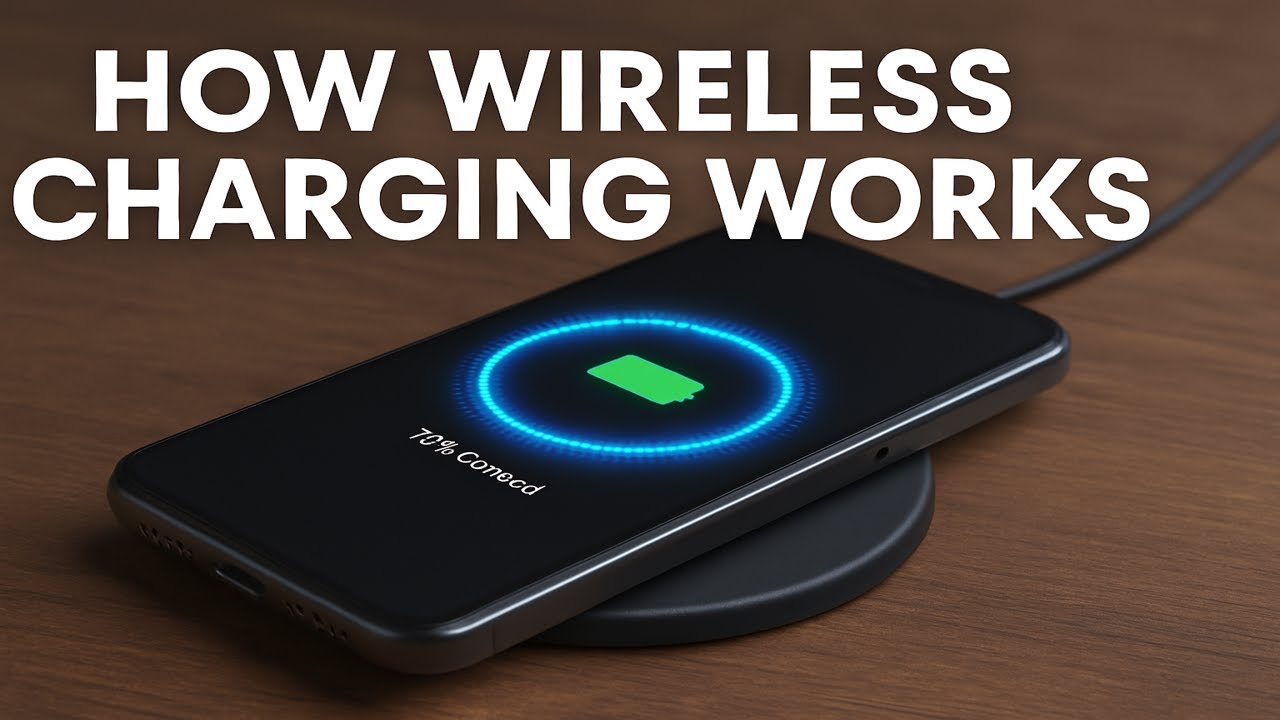
Wireless charging doesn’t eliminate electricity or cables entirely. Instead, it removes the need for a physical connector between your charger and your phone. Power still travels from a wall outlet to a charging pad through a cable, but from that pad to your phone, the energy transfers through the air using electromagnetic fields.
This is why a wireless charging pad still needs to be plugged in itself. The “wireless” part refers only to the connection between the pad and your device.
The Science: Electromagnetic Induction
Wireless charging relies on a principle called electromagnetic induction. This isn’t new or exotic technology; it’s the same basic principle used in transformers and various electrical devices for over a century.
Here’s the core idea: when electric current flows through a coil of wire, it creates a magnetic field around that coil. If you place a second coil of wire close enough within that magnetic field, the field induces an electric current in the second coil too, even though the two coils never physically touch.
Wireless phone charging applies this exact principle at a small, precise scale.
Step-by-Step: What Happens When You Charge Wirelessly
Step 1: Power Reaches the Charging Pad
Your wireless charging pad is plugged into a wall outlet, receiving standard electrical current just like any other charger.
Step 2: The Pad’s Coil Creates a Magnetic Field
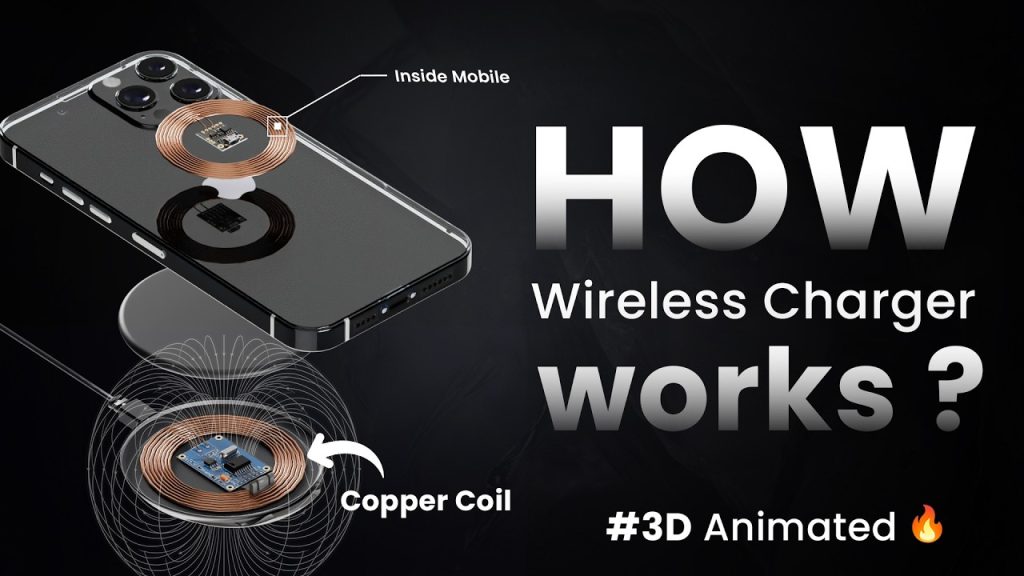
Inside the charging pad sits a coil of wire, called the transmitter coil. When electricity flows through it, this coil generates an alternating magnetic field.
Step 3: Your Phone’s Coil Receives the Field
Your phone contains its own small coil, called the receiver coil, positioned just behind the back panel. When you place your phone on the pad, this receiver coil sits within the transmitter coil’s magnetic field.
Step 4: Induction Creates Electric Current in Your Phone
The magnetic field from the pad induces an electric current in your phone’s receiver coil. This is the core moment of “wireless” energy transfer, since no direct wire connection is involved.
Step 5: The Current Charges Your Battery
Your phone’s internal circuitry converts this induced current into a form your battery can actually use, then directs it into the battery just as a wired charge would.
This entire process happens continuously and automatically the moment your phone is placed correctly on the pad, which is why charging begins almost instantly.
The Qi Standard Explained
Most wireless chargers and phones today use a standard called Qi (pronounced “chee”), developed by the Wireless Power Consortium. This standard ensures that a Qi-certified charging pad works with a Qi-certified phone, regardless of brand, similar to how USB cables generally work across many different devices.
Without a shared standard like Qi, wireless charging would be far more fragmented, with chargers only working for specific phone models. Qi compatibility is one of the main reasons wireless charging became mainstream rather than staying a proprietary, brand-specific feature.
Why Wireless Charging Is Usually Slower Than Cables
Wired charging generally delivers power more efficiently than wireless charging, and there’s a clear reason for this. Every step of the induction process, from creating the magnetic field to inducing current in the receiver coil, involves some energy loss, mainly as heat.
A wired connection sends power directly through a solid physical link, avoiding these conversion losses almost entirely. This is why even high-end wireless chargers advertising fast wireless charging speeds typically still charge somewhat slower than an equivalent wired fast charger.
Why Alignment Matters So Much
Have you ever placed your phone on a wireless charger only to find it’s not charging, or charging unusually slowly? This usually comes down to coil alignment. Since the transmitter and receiver coils need to be positioned closely and accurately for efficient induction, even a small misalignment can weaken the magnetic field transfer significantly.
This is why many wireless chargers include magnets or specific placement guides, helping ensure your phone’s internal coil lines up correctly with the pad’s coil every time.
Why Wireless Charging Generates Heat
Since energy conversion during induction isn’t perfectly efficient, some of that lost energy is released as heat rather than being transferred into your battery. This is a normal, expected part of the process, though excessive heat isn’t ideal for long-term battery health.
A few factors can make this heat more noticeable:
- Charging through a thick phone case
- Poor coil alignment, forcing the system to work harder
- Charging in an already warm environment
- Using a lower-quality or uncertified charging pad
Types of Wireless Charging Technology
| Type | How It Works | Common Use |
|---|---|---|
| Inductive charging (Qi) | Close-range magnetic induction between aligned coils | Smartphones, earbuds, smartwatches |
| Resonant charging | Similar to inductive, but allows slightly more distance and flexibility in positioning | Some multi-device charging pads |
| Magnetic charging (e.g., MagSafe-style) | Uses magnets to auto-align coils precisely before induction begins | Modern smartphones designed for easier, consistent alignment |
Most consumer wireless chargers today rely on inductive charging under the Qi standard, sometimes enhanced with magnets for easier alignment.
Tips for Better Wireless Charging Performance
- Remove thick or metal-containing phone cases, since these can interfere with or weaken the magnetic connection.
- Use a Qi-certified charger, ideally one recommended or certified for your specific phone, to ensure reliable power delivery.
- Center your phone properly on the pad, using alignment guides or magnetic features if available.
- Avoid charging on unstable or tilted surfaces, since even slight positioning shifts can reduce charging efficiency.
- Keep the charging pad and your phone’s back clean, since dust or debris can occasionally affect contact and heat dissipation.
- Avoid unnecessary phone use while wirelessly charging, since this can generate additional heat and reduce charging efficiency.
Common Myths About Wireless Charging
“Wireless Charging Damages Your Battery Faster”
Not inherently. While it can generate slightly more heat than wired charging, quality chargers and phones are designed to manage this safely. Heat matters for long-term battery health, but wireless charging alone isn’t a major additional risk under normal use.
“Any Charging Pad Works With Any Phone”
Not necessarily. While the Qi standard promotes broad compatibility, charging speed and reliability can still vary between different charger and phone combinations, especially with lower-quality, uncertified pads.
“Wireless Charging Works Through Any Material”
Not entirely. While Qi charging can work through certain non-metal materials like most plastic or thin cases, thicker cases, metal backings, or embedded metal objects (like credit cards) can block or interfere with the magnetic field.
Frequently Asked Questions
Is wireless charging bad for my phone’s battery?
Not significantly, under normal conditions. It can generate somewhat more heat than wired charging, and heat does affect long-term battery health, but this effect is generally minor with quality chargers and typical daily use.
Why does my phone charge slower wirelessly than with a cable?
Wireless charging inherently loses some energy during the induction process, making it generally less efficient than a direct wired connection, even with fast wireless charging technology.
Can I use any wireless charger with my phone?
Generally yes, if both your phone and the charger support the Qi standard, though charging speed and reliability can vary between different charger brands and models.
Does my phone case affect wireless charging?
Yes, potentially. Very thick cases, cases with metal components, or cases with embedded cards can interfere with or block the magnetic field needed for charging.
Why does my phone get warm while wireless charging?
Some heat is a normal result of energy conversion during the induction process. Excessive heat, however, can result from poor alignment, thick cases, or lower-quality chargers.
Do I need a special phone to use wireless charging?
Yes, your phone needs a built-in receiver coil to support wireless charging. Most modern mid-range and flagship phones include this, though some budget models may not.
Conclusion
So, how does wireless charging work? At its core, it relies on electromagnetic induction, using a magnetic field generated by a charging pad’s coil to induce electric current in your phone’s internal coil, all without any direct physical connection. While this technology offers genuine convenience, it typically charges somewhat slower and generates more heat than a traditional wired connection due to natural energy losses during the induction process.
Understanding this process helps explain common wireless charging quirks, like alignment sensitivity and slower speeds, and helps you get more consistent, reliable results from your charging pad. For more clear, practical breakdowns of the everyday technology.
Visit apkmunna for more tech guides.