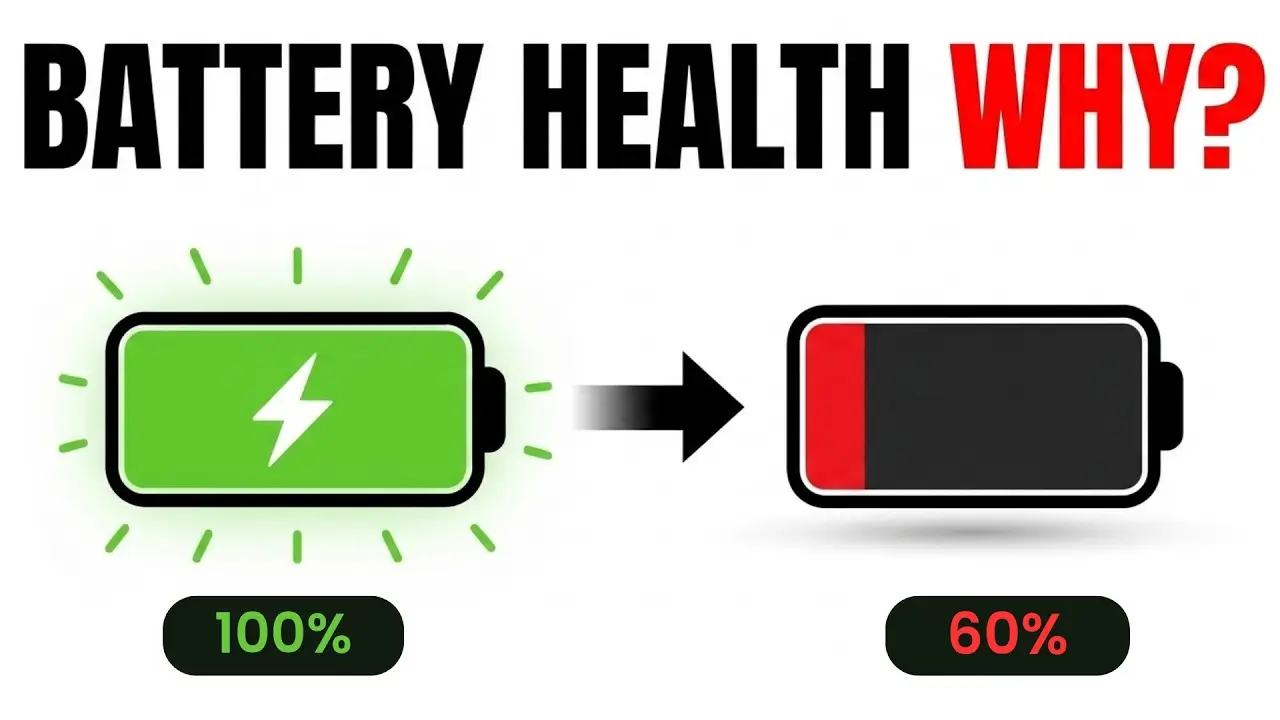
Why Does Phone Battery Health Drop?
If you’ve ever checked your phone’s battery health setting and been surprised to see it sitting at 88% or lower after just a year or two of use, you’re not imagining a problem — this is completely normal, expected behavior. Every smartphone battery gradually loses some of its original capacity over time, no matter how carefully you use it. But understanding exactly why this happens can help you slow the process down and get more useful life out of your device.
Let’s break down what’s actually happening inside your battery as it ages, which habits speed up the decline, and what you can realistically do about it.
What “Battery Health” Actually Measures
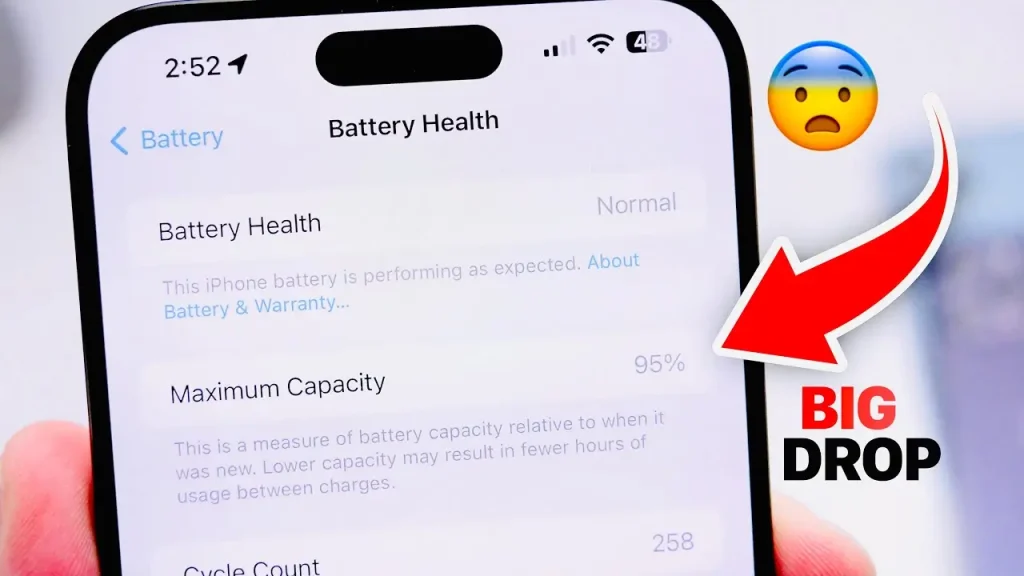
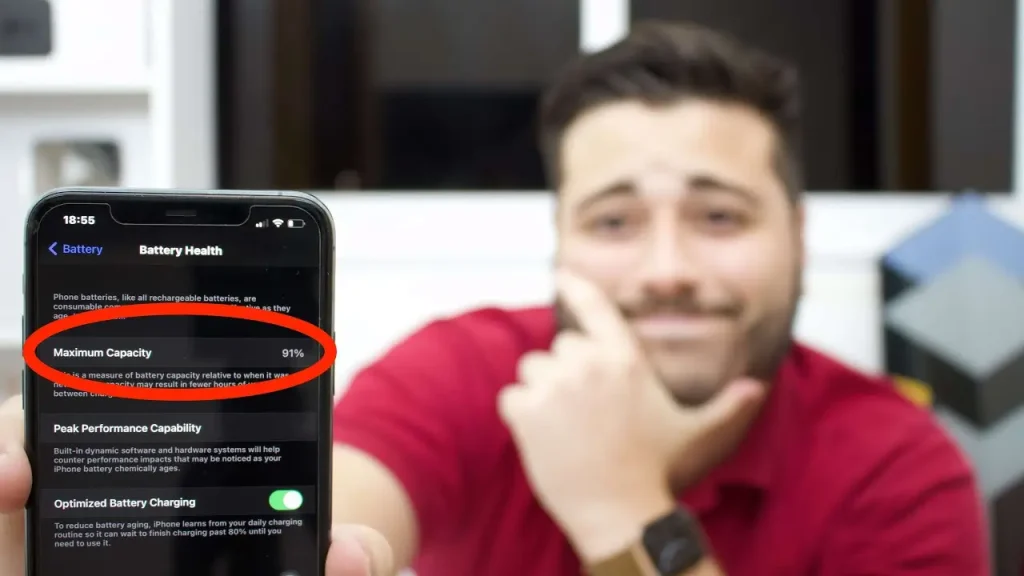
Most smartphones today include a battery health feature, usually found in settings, that shows a percentage representing your battery’s current maximum capacity compared to when it was brand new. A battery health reading of 85%, for example, means your battery can now hold roughly 85% of the charge it could when it left the factory.
This isn’t a measure of whether your battery is broken or faulty — it’s simply tracking normal chemical aging that happens to every lithium-ion battery, the type used in virtually all modern smartphones.
Why Lithium-Ion Batteries Degrade Over Time
Phone batteries rely on a chemical reaction between the battery’s internal components to store and release energy. Every time you charge and discharge your battery, this chemical process causes small, permanent changes at a microscopic level, gradually reducing the battery’s ability to hold as much charge as it originally could.
This isn’t a flaw in design — it’s an inherent characteristic of lithium-ion battery chemistry itself, affecting every device that uses this technology, including phones from every major manufacturer.
Key Factors That Cause Battery Health to Decline
1. Charge Cycles
A “charge cycle” refers to using 100% of your battery’s capacity, whether that happens in one full charge or accumulated across multiple partial charges throughout the day. Every completed cycle contributes a small amount of permanent capacity loss. Manufacturers typically design batteries to retain a significant majority of their original capacity even after several hundred charge cycles, but capacity naturally continues declining gradually beyond that point.
2. Heat Exposure
Elevated temperatures accelerate the chemical aging process inside a battery more than almost any other factor. Leaving your phone in direct sunlight, inside a hot car, or using it heavily while it’s already warm from charging or gaming can meaningfully speed up long-term capacity loss.
3. Time Spent at Full Charge
Keeping a battery at 100% for extended periods puts it under more voltage-related stress compared to keeping it in a more moderate charge range. This is part of why some phones now include adaptive charging features designed to reduce how long a battery sits at full charge unnecessarily.
4. Time Spent at Very Low Charge
Similarly, letting your battery sit at very low charge levels for extended periods, or frequently draining it to near 0% before charging, can also contribute to additional long-term stress compared to keeping it within a more moderate range.
5. Fast Charging (to a Smaller Degree)
Fast charging generates more heat during the charging process itself, which can contribute slightly to long-term wear compared to standard charging speeds, though modern phones are generally designed to manage this heat reasonably well during normal use.
6. Simple Age, Regardless of Usage
Even a phone that’s rarely used still experiences some gradual battery degradation over time, since the chemical aging process continues at a slow rate even without active charge cycles, though usage-related factors typically accelerate this decline considerably more than passive aging alone.
Signs Your Battery Health Has Noticeably Declined
- Your phone’s battery percentage drops much faster throughout the day than it used to
- The phone unexpectedly shuts down at battery levels well above 0%, like 20% or 30%
- Performance feels slower than before, particularly if your phone applies performance management to prevent unexpected shutdowns on a significantly degraded battery
- Your phone feels warmer than usual during normal, everyday use
- The battery health percentage shown in settings has dropped noticeably below 100%
How Fast Does Battery Health Typically Decline?
There’s no universal timeline, since decline speed depends heavily on your specific charging habits, environmental conditions, and how intensively you use your phone daily. In general terms:
- Batteries used carefully, avoiding excessive heat and extreme charge levels, tend to retain a higher percentage of their original capacity over a similar time period compared to batteries subjected to frequent heat exposure or constant full-charge stress.
- Noticeable, day-to-day differences in battery life often become more apparent after a year or more of regular use, though this varies significantly between individual devices and habits.
- Eventually, most users notice a point where battery life no longer comfortably covers a full day of typical use, prompting either a battery replacement or a full device upgrade.
Practical Ways to Slow Down Battery Health Decline
Avoid Extreme Temperatures
Keep your phone out of direct sunlight, hot cars, and other consistently hot environments whenever reasonably possible, since heat remains one of the most significant, controllable factors affecting long-term battery health.
Use Optimized or Adaptive Charging Features
Many modern phones include a setting that intelligently manages charging patterns, such as slowing down the final charging stage or learning your schedule to avoid unnecessarily long periods at 100%. Enabling this feature, if your phone offers it, can meaningfully help over time.
Avoid Letting Your Battery Constantly Sit at 0% or 100%
While occasional full charges and full discharges are completely normal and unavoidable at times, consistently keeping your battery within a more moderate range, when practical, can help reduce cumulative long-term stress.
Remove Thick Cases During Extended Charging or Heavy Use
Some phone cases can trap heat, particularly during fast charging or demanding tasks like gaming, so removing your case during these specific situations can help keep temperatures more manageable.
Use Official or Certified Charging Accessories
Uncertified chargers and cables may not regulate voltage and current as precisely, potentially generating more heat or inconsistent charging behavior compared to certified, manufacturer-recommended accessories.
Battery Health Decline: Common Causes at a Glance
| Factor | Impact on Long-Term Battery Health |
|---|---|
| Frequent full charge cycles | Gradual, expected capacity loss over time |
| Heat exposure | One of the most significant accelerating factors |
| Extended time at 100% charge | Adds voltage-related stress |
| Extended time at very low charge | Adds additional long-term stress |
| Fast charging | Minor additional wear due to heat generation |
| Simple passage of time | Slow, unavoidable baseline aging |
When Should You Consider a Battery Replacement?
Most manufacturers and battery health tools generally suggest considering a replacement once your battery health drops to a point where daily usability becomes noticeably affected, often somewhere around the mid-to-high 70s or lower, though this varies based on personal tolerance and daily usage needs. If you’re relying heavily on your phone throughout the day and find yourself charging far more frequently than you used to, a battery replacement is often significantly more cost-effective than replacing the entire device, provided the rest of your phone still meets your needs.
For guidance on checking your specific phone’s battery health setting and understanding what your particular device’s readings mean, apkmunna has step-by-step walkthroughs covering different phone brands and their respective battery health tools.
Frequently Asked Questions
Is it normal for battery health to drop below 100% within the first year?
Yes, this is completely normal. Most phones show some measurable decline within the first year of regular use, since charge cycles and everyday usage naturally contribute to gradual capacity loss.
Can battery health be restored once it drops?
No, battery degradation is generally permanent and cannot be reversed through software or settings changes. The only way to restore original capacity is a physical battery replacement.
Does fast charging significantly damage battery health?
Not dramatically under normal use, though it does generate more heat than standard charging, which can contribute slightly to long-term wear compared to slower charging methods.
Should I be worried if my battery health drops faster than my friend’s identical phone?
Not necessarily. Differences in charging habits, environmental conditions, and daily usage patterns can lead to noticeably different battery health outcomes even between identical phone models.
Is 80% battery health considered bad?
Not necessarily bad, but noticeable. Many users still find a phone at 80% battery health perfectly usable, though daily charging frequency often increases somewhat compared to when the battery was newer.
Conclusion
Battery health naturally declines over time due to the fundamental chemistry of lithium-ion batteries, accelerated by factors like heat exposure, frequent full charge cycles, and extended time spent at very high or very low charge levels. While this decline can’t be completely prevented, understanding what accelerates it gives you practical, meaningful ways to slow the process down and extend your battery’s useful lifespan.
By avoiding excessive heat, using adaptive charging features when available, and being mindful of extreme charge levels, you can help your phone’s battery age more gracefully over time. For more practical, honest breakdowns of phone maintenance topics like this one, apkmunna remains a helpful resource to keep exploring.