What Is eSIM Technology? A Simple Explanation
Table of Contents
- What eSIM Actually Stands For
- How eSIM Differs From a Physical SIM Card
- How eSIM Technology Actually Works
- How to Activate an eSIM
- Benefits of Using an eSIM
- Limitations and Drawbacks of eSIM
- eSIM vs. Physical SIM: Quick Comparison
- Devices and Carriers That Support eSIM
- Is eSIM Replacing Physical SIM Cards Entirely?
- Tips Before Switching to eSIM
- FAQs
- Conclusion
If you’ve bought a newer smartphone recently, you may have noticed your carrier mentioning an “eSIM” option instead of handing you a tiny physical card to insert. For many people, this raises an obvious question: what is eSIM technology, and how is it different from the SIM card you’re used to?
The short answer is that an eSIM does the same basic job as a traditional SIM card, identifying your device to a mobile network, but it does so digitally, built directly into your phone rather than as a removable physical chip.
What eSIM Actually Stands For
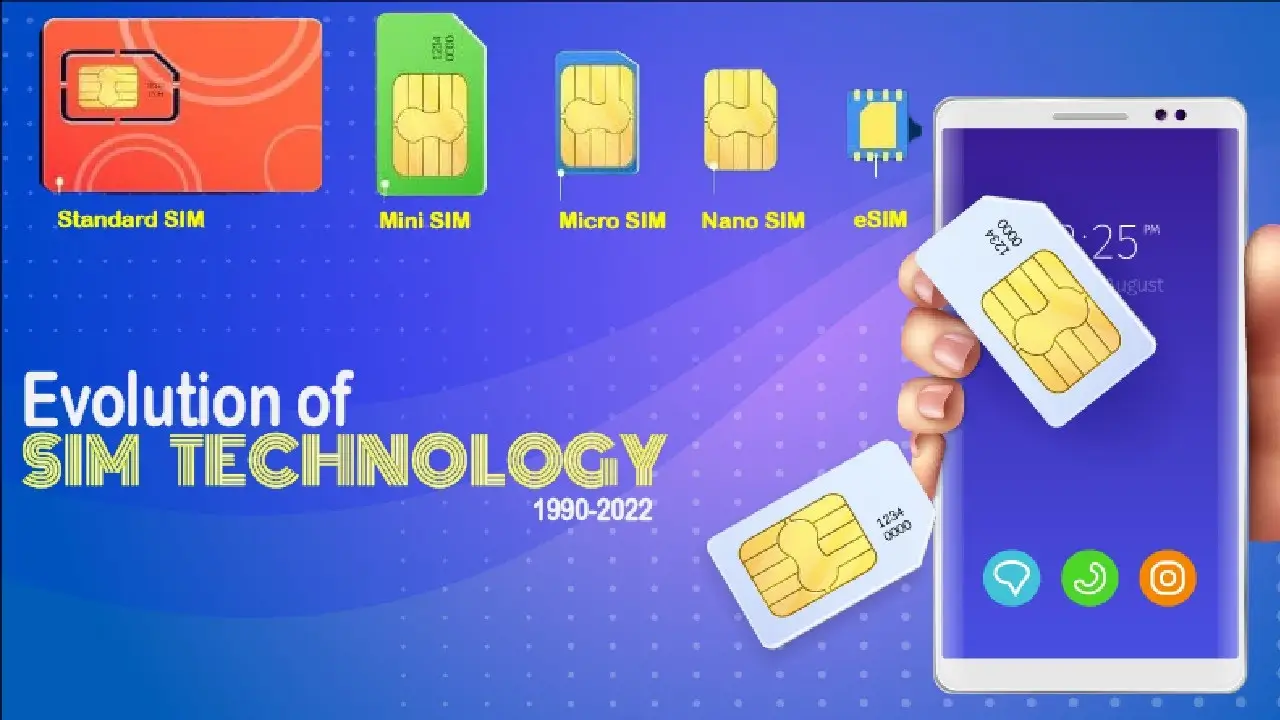
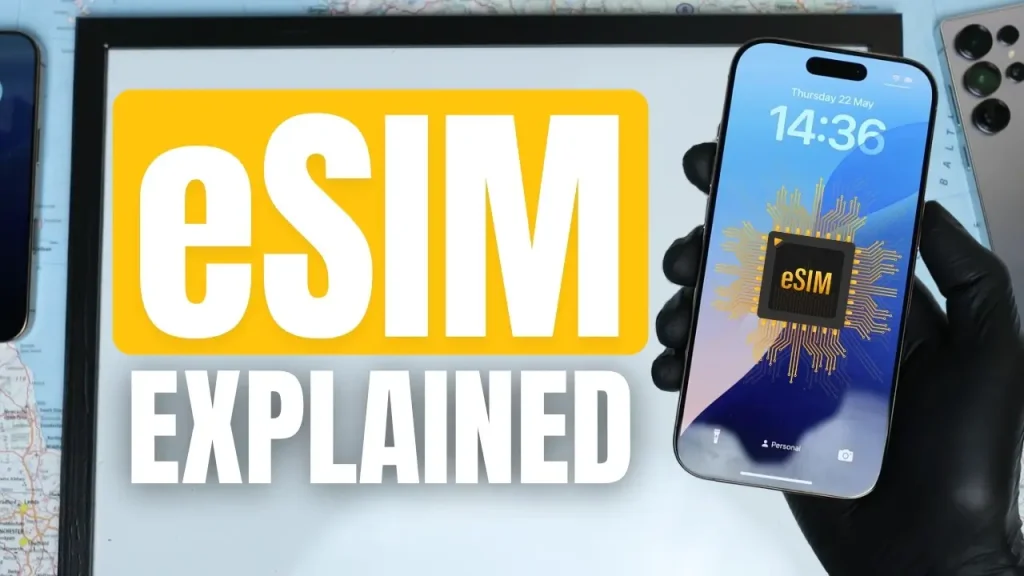
eSIM stands for “embedded SIM.” Unlike a traditional SIM card, which is a small, removable plastic chip you insert into a phone’s SIM tray, an eSIM is a tiny chip permanently built into your device’s hardware during manufacturing.
Rather than swapping a physical card to switch networks, an eSIM stores your carrier information digitally, allowing it to be programmed, changed, or updated through software instead.
How eSIM Differs From a Physical SIM Card
Physical SIM Cards
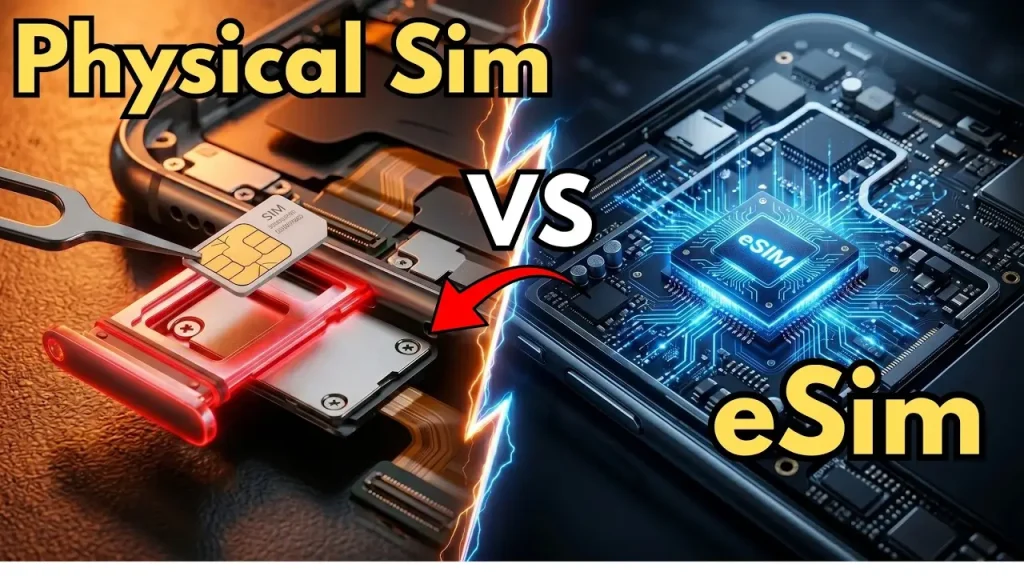
A traditional SIM card is a small, removable chip containing your subscriber information. To switch carriers or activate service, you physically insert the correct card into your phone’s SIM slot.
eSIM
An eSIM is soldered directly onto your device’s circuit board and cannot be removed or physically swapped. Instead of inserting a new card, you activate, switch, or manage your carrier profile through your phone’s settings, usually by scanning a QR code or using a dedicated carrier app.
Both types ultimately perform the same core function, identifying you to a mobile network so you can make calls, send texts, and use data. The difference lies entirely in how that identification is stored and managed.
How eSIM Technology Actually Works
Step 1: The Chip Is Built Into Your Device
During manufacturing, your phone includes a small, embedded chip capable of storing one or more digital carrier profiles.
Step 2: You Obtain an Activation Method
When you sign up for service, your carrier provides an activation method, commonly a QR code, though some carriers also support activation through a dedicated app or direct carrier settings.
Step 3: Your Phone Downloads the Carrier Profile
Scanning the QR code or completing the activation process downloads your specific carrier profile directly onto the embedded chip, including the information needed to connect to that network.
Step 4: Your Device Connects to the Network
Once activated, your eSIM functions exactly like a physical SIM would, connecting your device to your carrier’s network for calls, texts, and data.
Step 5: You Can Add or Switch Profiles Later
Many eSIM-capable devices support storing multiple carrier profiles at once, even if only one is actively used for cellular service at a time, allowing you to switch between them through your settings rather than needing a new physical card.
How to Activate an eSIM
While exact steps vary by phone and carrier, the general process typically looks like this:
- Purchase or request an eSIM plan from your carrier, either when buying a new phone or switching plans.
- Receive your activation QR code or instructions, usually through email, an app, or in-store assistance.
- Open your phone’s cellular or mobile network settings.
- Select the option to add a new eSIM or cellular plan.
- Scan the provided QR code or follow the carrier’s specific activation steps.
- Wait for the profile to download and activate, which typically takes just a few minutes.
Since exact menu names and steps differ between iPhone, Android brands, and individual carriers, checking your specific carrier’s official instructions is the most reliable way to complete activation correctly.
Benefits of Using an eSIM
No Physical Card Needed
You don’t need to visit a store or wait for a SIM card to arrive in the mail in many cases, since activation can often happen remotely.
Easier Carrier Switching
Since eSIMs are managed digitally, switching carriers or adding a secondary line can sometimes be done without needing a new physical card at all.
Multiple Profiles on One Device
Many eSIM-capable phones support storing several carrier profiles simultaneously, useful for travelers who want a local data plan alongside their home carrier, or for anyone managing separate personal and work lines.
No Physical SIM Tray Vulnerability
Since there’s no removable card or tray, there’s nothing to lose, damage, or improperly insert, and no small SIM tray opening that could be vulnerable to dust or debris.
Useful for International Travel
Many travelers use eSIMs to purchase short-term local data plans in a destination country without needing to find and swap a physical local SIM card.
Limitations and Drawbacks of eSIM
Can’t Easily Swap Between Devices
Unlike a physical SIM, you can’t simply pop an eSIM out and place it into a different phone. Switching devices typically requires re-activating or transferring your eSIM profile through your carrier, which can occasionally be less convenient than a quick physical card swap.
Dependent on Carrier Support
Not all carriers worldwide fully support eSIM technology yet, meaning availability can vary significantly depending on your specific provider and region.
Requires an Internet Connection for Activation
Since activation involves downloading a digital profile, you generally need a Wi-Fi or existing data connection to complete the setup process initially.
Device Compatibility Isn’t Universal
Older phones and many budget models don’t include eSIM support at all, meaning this technology remains limited to specific device models, mainly newer mid-range and flagship phones.
Less Familiar to Some Users
Since physical SIM cards have been the standard for decades, some users find the digital activation process less intuitive initially, especially without clear carrier guidance.
eSIM vs. Physical SIM: Quick Comparison
| Factor | eSIM | Physical SIM |
|---|---|---|
| Removable | No, built into the device | Yes, can be physically removed |
| Activation | Digital (QR code, app, or carrier portal) | Physical card insertion |
| Switching devices | Requires re-activation/transfer | Simple physical swap |
| Multiple profiles | Often supported on one device | Requires multiple physical cards or dual-SIM slots |
| Carrier/device support | Growing, but not universal | Nearly universal |
| Risk of physical damage/loss | None | Possible (small card, removable tray) |
Devices and Carriers That Support eSIM
Many modern smartphones from major manufacturers now include eSIM support, often alongside or instead of a traditional SIM tray, depending on the specific model and region. Many major carriers worldwide have also added eSIM support to their service plans.
However, exact support varies significantly by device model, carrier, and country, so it’s worth checking both your specific phone model’s specifications and your carrier’s current eSIM offerings before assuming compatibility. If you’re deciding on a new phone and want to understand which specs actually matter beyond eSIM support, apkmunna’s guide on what makes a smartphone processor fast covers similar spec-sheet myths worth understanding before buying.
Is eSIM Replacing Physical SIM Cards Entirely?
The broader industry trend has clearly been moving toward eSIM adoption, with some newer flagship phone models in certain regions shipping without a physical SIM tray at all. However, physical SIM cards remain widely used and supported globally, particularly in regions or with carriers where eSIM infrastructure is still developing.
Rather than a sudden, complete replacement, the shift toward eSIM has generally been gradual, with both technologies coexisting for the foreseeable future depending on your device, carrier, and location.
Tips Before Switching to eSIM
- Confirm your phone supports eSIM before requesting activation from your carrier.
- Check your carrier’s specific eSIM policies, since processes and support can vary significantly between providers.
- Keep your Wi-Fi connection ready during activation, since you’ll typically need internet access to complete the setup.
- Save or screenshot your activation QR code until setup is fully confirmed, in case you need to retry the process.
- Ask your carrier about the process for switching phones later, so you understand what’s involved before you need to transfer your eSIM in the future.
Frequently Asked Questions
Can I use an eSIM and a physical SIM at the same time?
Yes, many modern phones support this, often called dual-SIM functionality, allowing one eSIM and one physical SIM to be active simultaneously, depending on your specific device.
Is eSIM safer than a physical SIM card?
It can offer some practical advantages, like not being physically removable or stealable by directly swapping it into another phone, though both SIM types carry their own general security considerations.
Can I switch carriers easily with an eSIM?
Often yes, since switching can be done digitally without needing a new physical card, though the exact process still depends on your specific carrier’s support and policies.
Do all phones support eSIM?
No. eSIM support depends on the specific device model, with many older phones and some budget models not including this capability.
What happens if I get a new phone and had an eSIM on my old one?
You’ll typically need to transfer or reactivate your eSIM profile on the new device through your carrier, rather than simply moving a physical card over.
Do I need internet access to activate an eSIM?
Generally yes, since the activation process involves downloading a digital carrier profile onto your device.
Conclusion
So, what is eSIM technology? It’s a digital, embedded alternative to the traditional removable SIM card, built directly into your device and activated through software rather than a physical chip. While it offers real convenience, including easier carrier switching and support for multiple profiles, it also comes with its own limitations, like needing carrier cooperation to transfer between devices.
As adoption continues to grow, understanding how eSIM works helps you make informed decisions the next time you upgrade your phone or switch carriers. For more clear, practical breakdowns of the technology shaping your everyday devices, apkmunna remains a solid resource to keep exploring.