What Is a Gyroscope? How It Works and Why It Matters
Table of Contents
- What a Gyroscope Actually Is
- The Basic Physics Behind a Gyroscope
- How Gyroscopes Evolved for Modern Devices
- How a Smartphone Gyroscope Actually Works
- Gyroscope vs. Accelerometer: What’s the Difference
- Everyday Uses of Gyroscopes in Your Devices
- Gyroscopes Beyond Smartphones
- Signs Your Phone’s Gyroscope Isn’t Working Properly
- How to Check and Calibrate Your Phone’s Gyroscope
- FAQs
- Conclusion
Tilt your phone to rotate the screen, lean into a turn while racing in a mobile game, or watch a drone hover perfectly steady in the air. Behind all of these moments sits a small, often overlooked sensor: the gyroscope. But what is a gyroscope, exactly, and how does something so small manage to detect motion and orientation so precisely?
Let’s break down what this sensor actually is, the physics that make it work, and why it’s become such an essential part of modern technology.
What a Gyroscope Actually Is
A gyroscope is a device or sensor designed to measure and maintain orientation and angular velocity, meaning how fast and in which direction something is rotating. In simple terms, it helps a device understand how it’s being tilted, turned, or rotated in space.
The concept isn’t new. Mechanical gyroscopes have existed for well over a century, originally used in navigation systems for ships, aircraft, and spacecraft, long before they ever made their way into something as small as a smartphone.
The Basic Physics Behind a Gyroscope
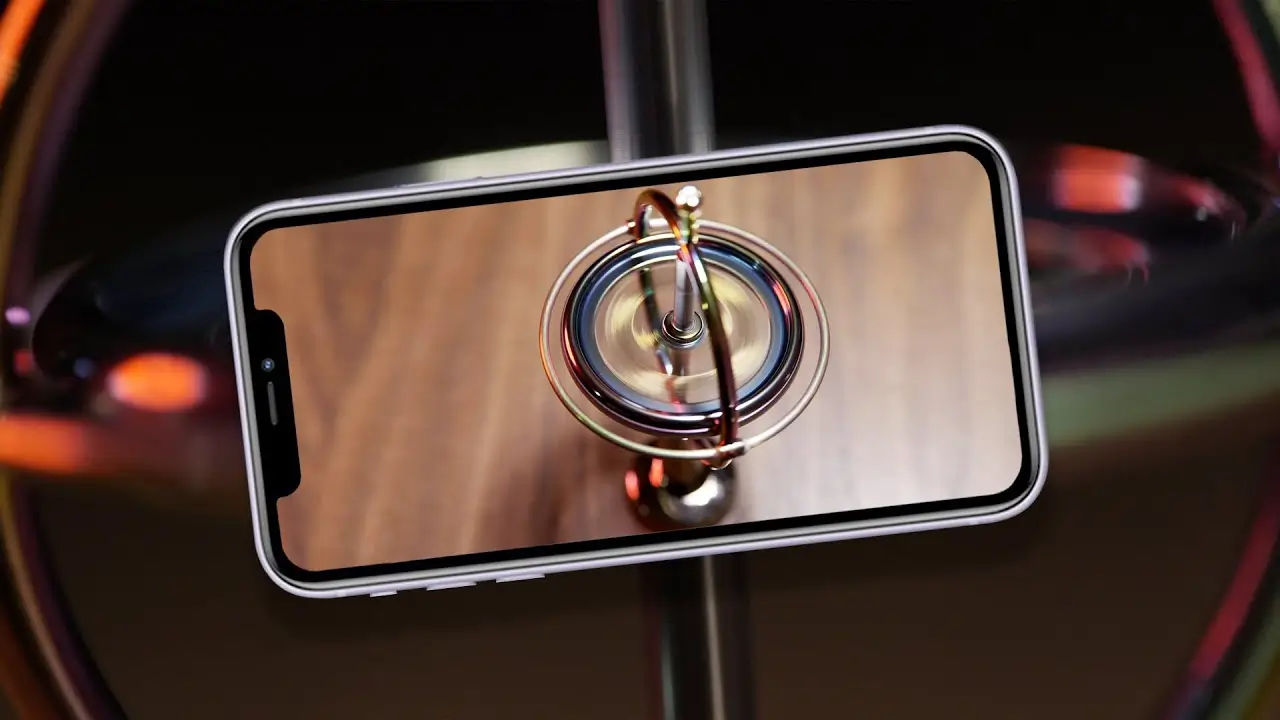
Traditional mechanical gyroscopes rely on a surprisingly elegant physical principle: a spinning object resists changes to its axis of rotation. This property is called angular momentum.
Picture a spinning top. As long as it’s spinning fast enough, it resists tipping over, staying upright even when nudged slightly. A mechanical gyroscope applies this same principle using a rapidly spinning wheel or disc mounted on a set of gimbals, allowing the spinning component to maintain its orientation regardless of how the outer frame around it moves.
This resistance to directional change is exactly what makes gyroscopes useful for measuring orientation. If the outer device tilts or rotates, the spinning gyroscope stays steady, and the difference between the two reveals precisely how much the device itself has moved.
How Gyroscopes Evolved for Modern Devices
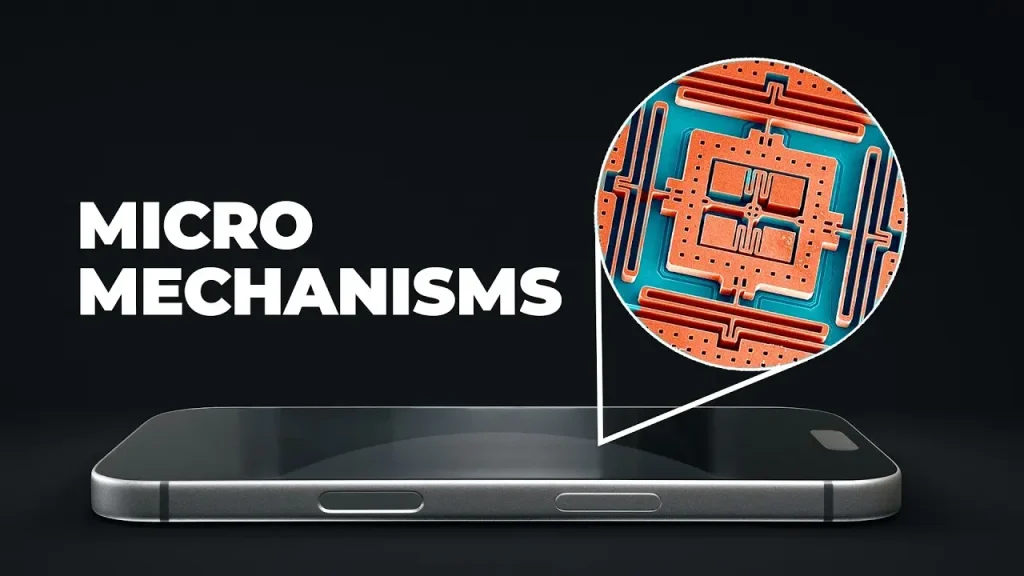
Obviously, your smartphone doesn’t contain a physically spinning wheel. Modern devices use what’s called a MEMS gyroscope (Micro-Electro-Mechanical System), a miniaturized version of this technology built directly onto a tiny microchip.
Instead of a large spinning wheel, a MEMS gyroscope uses microscopic vibrating structures. When the device rotates, these vibrating components experience a subtle but measurable shift due to a phenomenon called the Coriolis effect, which the sensor detects and converts into precise rotational data.
This miniaturization is what allowed gyroscopes to shrink from bulky navigation equipment into a tiny chip small enough to fit inside a smartphone, without sacrificing much of the accuracy needed for everyday use.
How a Smartphone Gyroscope Actually Works
Step 1: Tiny Vibrating Structures Stay in Constant Motion
Inside the MEMS gyroscope chip, microscopic structures vibrate continuously at a steady, known frequency.
Step 2: Rotation Causes a Measurable Shift
When your phone rotates in any direction, the Coriolis effect causes a slight, detectable shift in these vibrating structures relative to their original motion.
Step 3: Sensors Detect This Shift
Tiny sensors within the chip detect this shift and measure its direction and intensity.
Step 4: The Data Is Converted Into Usable Information
This raw sensor data is processed and converted into specific information about your device’s rotation, including direction and speed, which your phone’s software can then use.
Step 5: Apps and Features Respond Accordingly
Your operating system and individual apps use this rotational data to adjust screen orientation, control in-game movement, stabilize video, or support countless other motion-based features.
This entire process happens continuously and in real time, which is why your screen rotates almost instantly when you tilt your phone.
Gyroscope vs. Accelerometer: What’s the Difference
These two sensors are often confused since they work together closely, but they measure different things.
| Sensor | What It Measures | Example Use |
|---|---|---|
| Gyroscope | Rotational movement and orientation (angular velocity) | Detecting tilt, rotation, spinning motion |
| Accelerometer | Linear acceleration and movement in a straight line | Detecting shake, steps, device orientation relative to gravity |
In practice, smartphones use both sensors together, often combined with a magnetometer (digital compass), to create a more complete and accurate picture of how your device is moving and oriented in space. This combined approach is sometimes referred to as sensor fusion.
Everyday Uses of Gyroscopes in Your Devices
Screen Auto-Rotation
When you tilt your phone from portrait to landscape, the gyroscope (working alongside the accelerometer) detects this rotation and tells your screen to adjust accordingly.
Gaming and Motion Controls
Many mobile games use gyroscope data for tilt-based steering, aiming, or movement, allowing you to control gameplay by physically moving your device rather than relying solely on touch controls.
Camera Stabilization
Optical and digital image stabilization systems often rely partly on gyroscope data to detect small hand movements and compensate for them, helping reduce blur in photos and shaky footage in videos.
Navigation and Augmented Reality
Gyroscopes help maintain accurate orientation tracking in navigation apps and augmented reality experiences, ensuring that virtual elements stay correctly aligned as you move and turn your device.
Fitness and Motion Tracking
Some fitness apps and wearables use gyroscope data alongside accelerometer data to more accurately detect specific movements and orientation changes during exercise.
Gyroscopes Beyond Smartphones
While this article focuses mainly on smartphone gyroscopes, this technology extends far beyond phones:
- Aircraft and ships use gyroscopic systems for navigation and stability, a role gyroscopes have played for over a century.
- Drones rely heavily on gyroscopes to maintain stable flight and respond accurately to pilot input.
- Gaming controllers sometimes include gyroscopes for motion-based aiming or control options.
- Spacecraft use highly precise gyroscopic systems to maintain orientation and navigate accurately in space.
- Camera stabilizers and gimbals use gyroscopic sensors to keep footage smooth even during movement.
Signs Your Phone’s Gyroscope Isn’t Working Properly
If your gyroscope is malfunctioning or behaving inconsistently, you might notice:
- Screen rotation failing to work or responding inconsistently
- Motion-controlled games feeling unresponsive, laggy, or inaccurate
- Augmented reality apps struggling to track orientation correctly
- Video stabilization features performing poorly despite steady handling
These issues can sometimes stem from a software glitch rather than an actual hardware problem, so a restart or software update is often worth trying before assuming a hardware fault.
How to Check and Calibrate Your Phone’s Gyroscope
Most smartphones include a way to test or recalibrate the gyroscope, though exact steps vary by brand:
- Check your phone’s built-in sensor test, often found in settings under a hardware or diagnostics menu.
- Download a reputable gyroscope testing app, available on most app stores, to check real-time sensor readings.
- Recalibrate through your device settings, if your phone offers this option, usually by placing the phone on a flat surface and following on-screen instructions.
- Update your phone’s software, since sensor-related bugs are sometimes addressed through regular system updates.
If issues persist after calibration and updates, it may indicate a hardware problem worth having checked by a professional.
Frequently Asked Questions
Do all smartphones have a gyroscope?
Most modern mid-range and flagship smartphones include one, but some budget models may rely only on an accelerometer, which can limit certain motion-based features like precise gaming controls.
What’s the difference between a gyroscope and a compass app?
A compass app typically relies on a magnetometer to detect magnetic north, while a gyroscope measures rotational movement. Many compass apps use both sensors together for more accurate readings.
Can a gyroscope wear out over time?
Since smartphone gyroscopes are solid-state MEMS components with no moving mechanical parts like older mechanical gyroscopes, they generally don’t wear out from regular use, though they can occasionally malfunction due to manufacturing defects or physical damage.
Why does screen rotation sometimes not work?
This is often due to a software setting (like orientation lock) rather than a gyroscope hardware issue, though persistent problems after checking settings could indicate a sensor malfunction.
Do all mobile games use the gyroscope?
No, only games specifically designed with motion controls use gyroscope data, and many of these also offer standard touch control alternatives.
Is a gyroscope the same as GPS?
No, they serve different purposes. GPS determines your location using satellite signals, while a gyroscope measures rotational orientation and movement, and the two are often used together in navigation apps.
Conclusion
So, what is a gyroscope? It’s a sensor designed to detect and measure rotational movement and orientation, evolving from large mechanical navigation instruments into tiny MEMS chips now built into virtually every modern smartphone. From screen rotation to gaming controls to camera stabilization, this small, often unnoticed sensor plays a meaningful role in how smoothly your device responds to the way you move it.
Understanding how a gyroscope works also helps explain certain everyday quirks, like inconsistent screen rotation or unresponsive motion controls, and when recalibration or a software update might help. For more clear, practical breakdowns of the technology inside your everyday devices, apkmunna remains a great resource to keep exploring.